A client record is the beginning, not the whole job
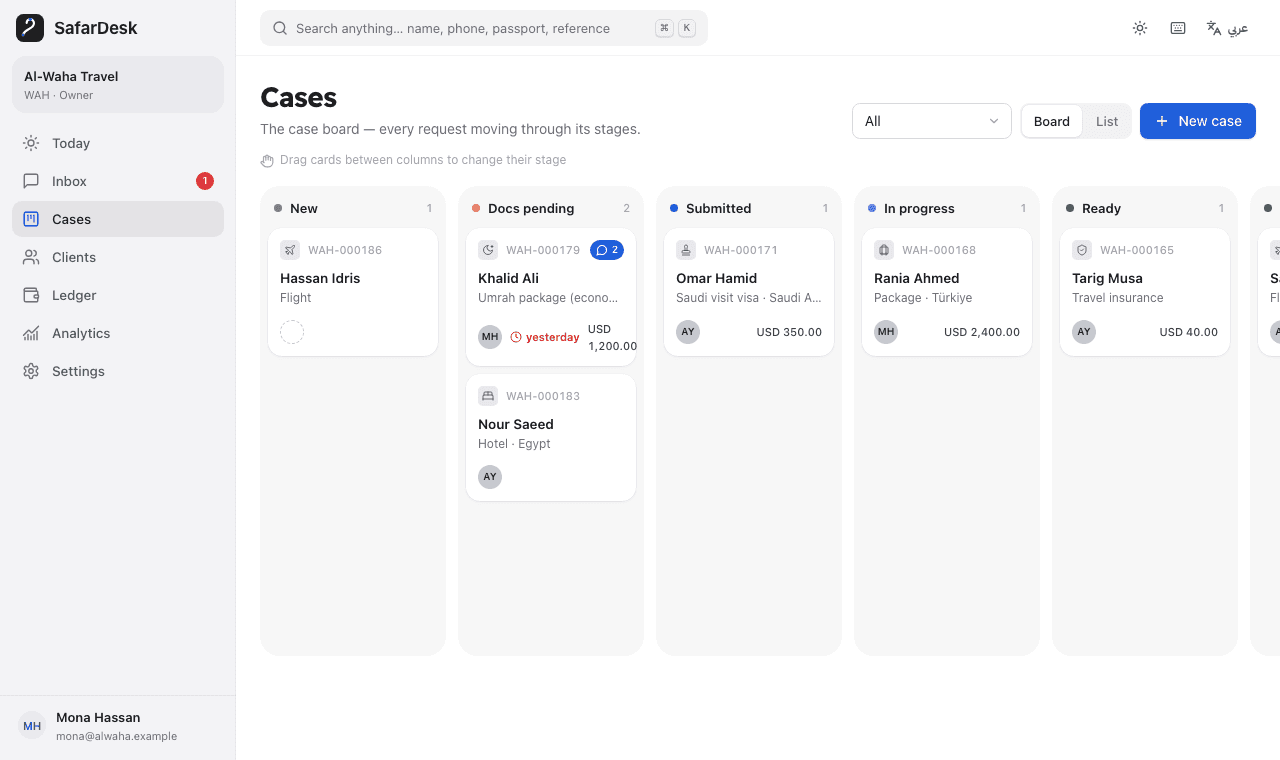
A sales contact does not explain which documents are missing or who promised the next update. SafarDesk links client records to cases so the team can follow delivery, not just the initial enquiry. Agents can see assignment, stages and tasks in a shared workflow.
From enquiry to a trackable case
Create or identify the client, open the relevant case, assign an owner and use its document checklist. Track progress through the case board, record the next task and keep charges and payments associated with the case. Authorized colleagues can pick up the context through shared records and internal notes.
- Client and case records, with a reference for each request.
- Document checklists and follow-up tasks.
- Five roles; some team actions may appear in a best-effort audit log, but individual entries are not guaranteed.
- Arabic and English, including RTL layouts.
Test with a fictional handoff
Open a synthetic case, mark one required item missing and assign a follow-up. Ask a teammate to explain the next action from the record. This is a practical evaluation exercise, not a measured customer outcome. The preview uses fictional demonstration data.
Know the current boundaries
SafarDesk is an operational workspace, not a booking inventory system, ticket issuer or traveler marketplace. Live WhatsApp needs separate Meta setup; historical text import does not connect a phone. Free access is available during validation. Published paid offers are USD pilot references, not validated local rates, and require manual confirmation. Country-specific legal and commercial suitability must be checked separately.
Put the next step into practice
Test a startup scenario without signing up, or explore SafarDesk’s currently free early-access workspace.